Built by a roofer, on his own roofs
The roofing CRM I built to run my own company.
I’m Joe Deal. No Big Deal Home Solutions runs on NBD Pro every day, from the first knock to paid in full, on my phone.
No testimonials. Numbers you can check.
- 7 yearsin insurance restoration
- 51 jobspublished with photos on our work page
- 24 townsacross those published jobs
- Every pricepublished, not behind a sales call
NBD Pro is new, so I won’t show you invented star ratings or made-up quotes. These come from my own roofing business, where independent subcontractor crews do the installs.
Today
Know who needs you today.
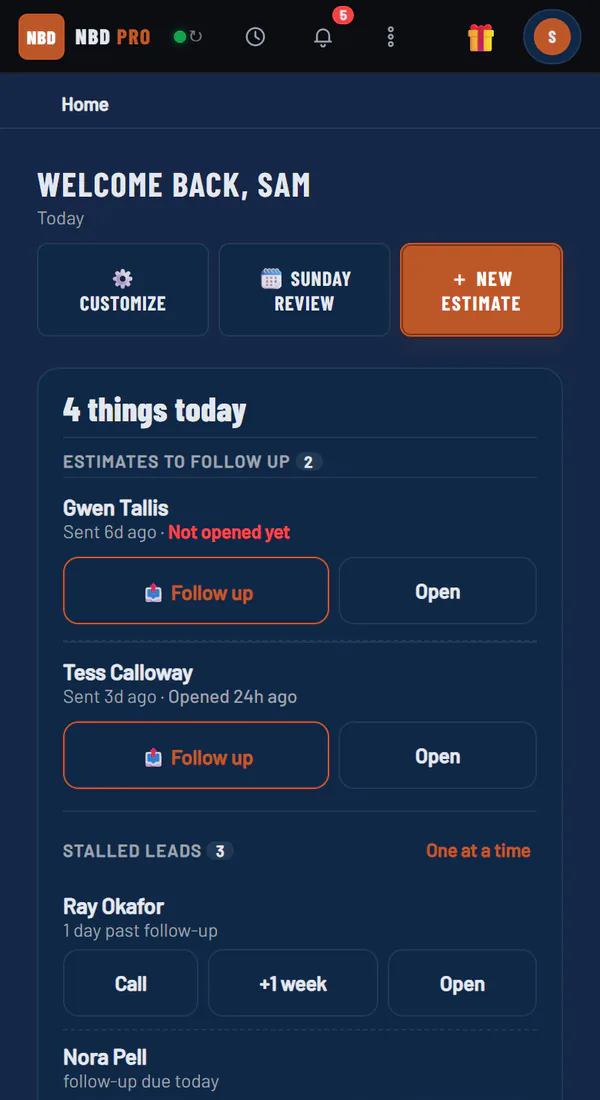
Open the app and Today is one list of the people waiting on you: appointments, calls you owe, promised follow-ups, estimates to follow up, money to collect and stalled leads. Estimates that have been out 2, 5 or 10+ days show whether they opened them, and anyone with no next step at all gets flagged.
- One tap sets the next follow-up: 3 days, a week, two weeks
- Work them one at a time, a card per screen
- Counts people, not duplicate cards
The job moves itself.
The card moves forward on its own when the work happens. It only moves forward, and it never touches a lost lead.
- Meeting booked
- Estimate shared
- Contract signed
- Deposit paid
- Paid in full
Insurance, cash, finance, warranty and service pipelines, plus a jobs board. Every stage change is logged on the customer’s card, and you can swipe a card to the next stage yourself.
One job, start to finish
From the driveway to paid in full.
01 · From the driveway
Quote it before you leave the driveway.
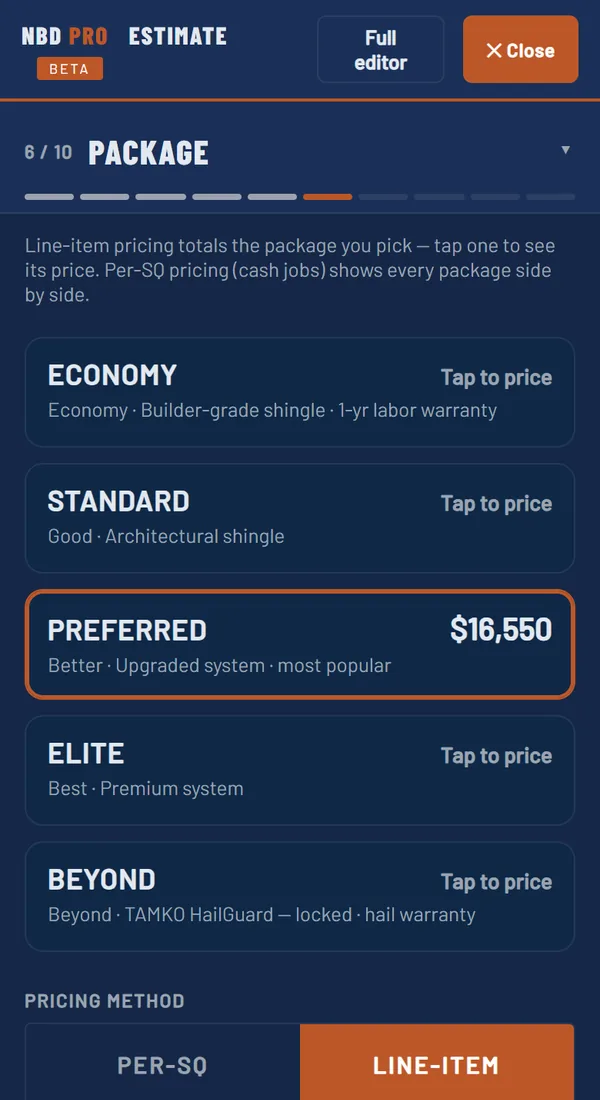
The estimate wizard asks one thing per screen, with a big Next button under your thumb: measure, roof lines, details, penetrations, package, add-ons, photos, review. Five packages, Economy to Beyond.
- Know when they open it: you get an alert when the homeowner opens the estimate, portal or signing link
- Homeowners see retail prices only; your costs stay in the CRM
02 · E-sign, built in
Signed on their phone, with the cancel forms attached.
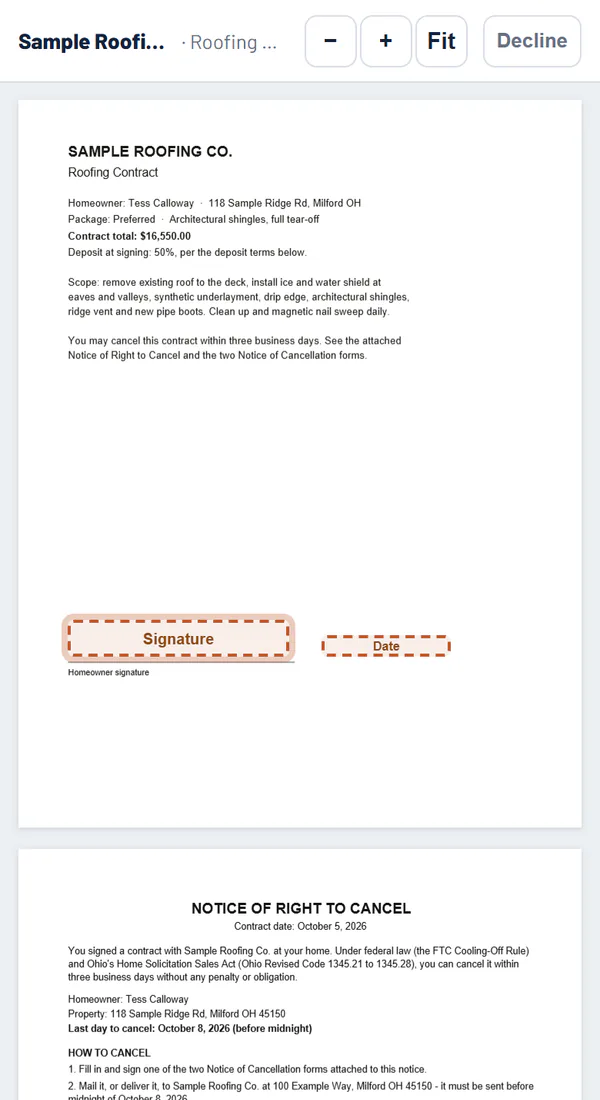
Send for Signature builds the contract from the saved estimate. The homeowner signs on their phone, with no login and no app. Signing links expire after 14 days.
- Every contract signed in the app carries the Notice of Right to Cancel and two Notice of Cancellation forms, dated the day they sign
- Up to 4 signers, in order, each with their own link. Reminders go out every 2 days, 3 at most, and a signer can decline
- Each signature records consent, IP, browser and time, and an audit certificate page is added to the signed PDF
03 · Production
Signed to started, on one strip.
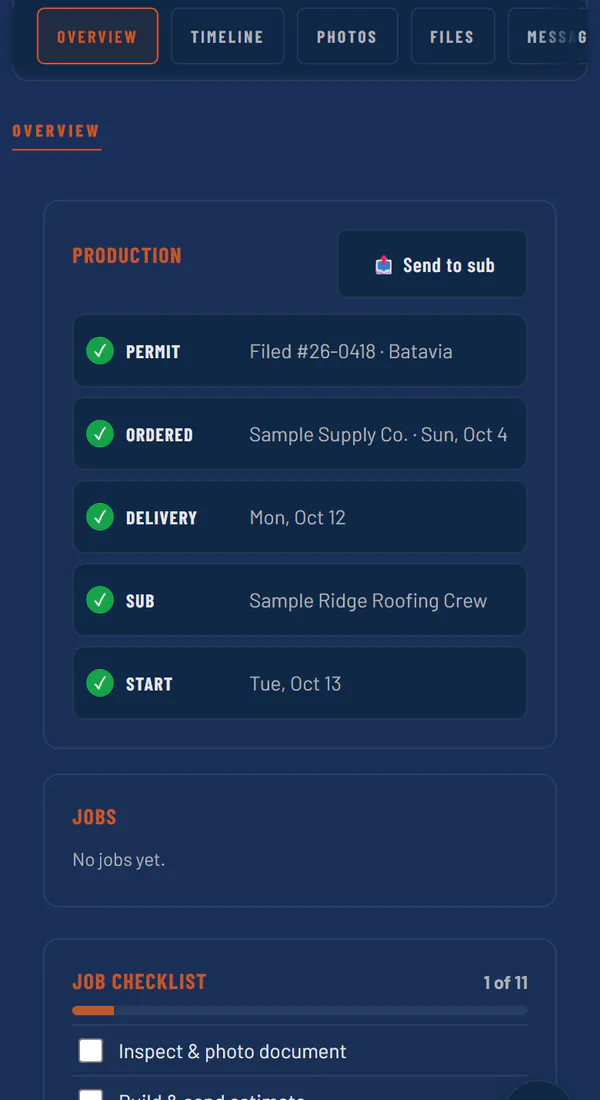
Every signed job gets a production strip: Permit, Ordered, Delivery, Sub, Start. You see what is done and what is next without opening five screens.
- A sub roster with each crew’s trade, phone and insurance-certificate date. It warns you about an expired certificate or a double-booking
- Send to sub: a job sheet with the address, start and materials, and no prices or homeowner phone
- Rain day: push the job and every later one, skipping weekends
04 · Homeowner portal
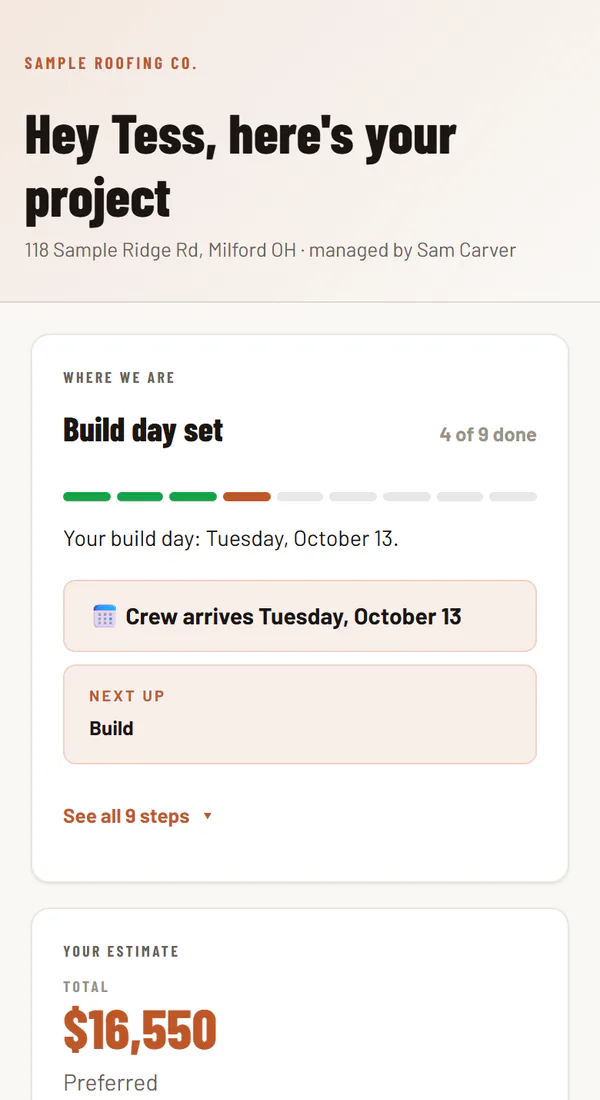
Your homeowner always knows where it stands.
Send one secure link. The homeowner sees a 9-step tracker (Inspection, Estimate, Signed, Build day set, Build, Final walkthrough, Final payment, Warranty, Review), their estimate, signed documents, photos, and the balance due. No login, no app.
- The rating and refer-a-friend asks wait until the job is paid in full
- They can message you, upload their own photos and book a time on your calendar
- Your company name on every page they see
05 · Getting paid
Get paid without chasing.
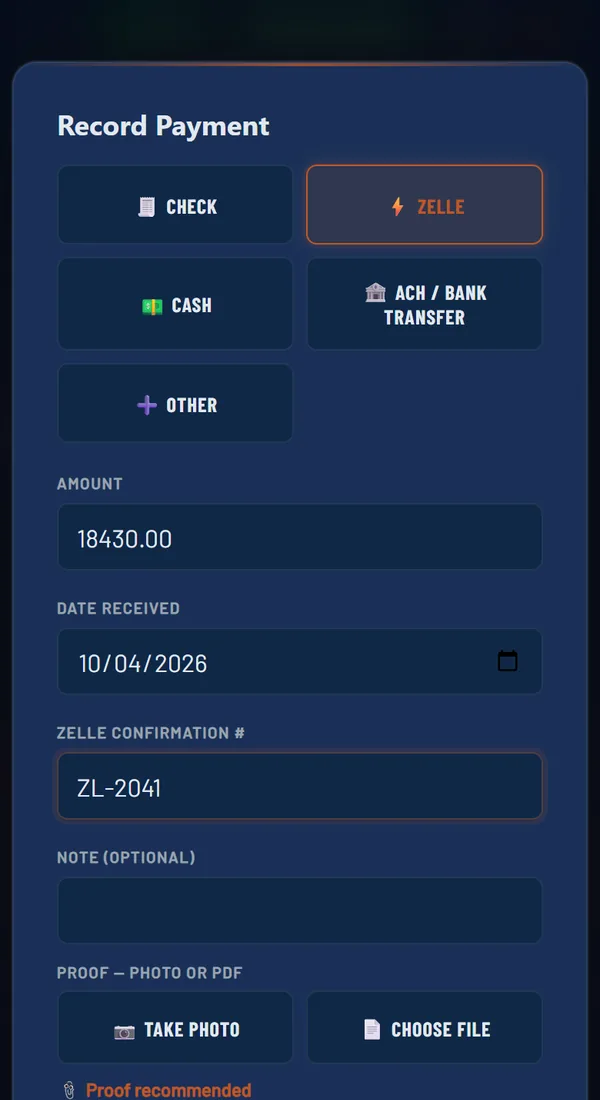
Turn the estimate into an invoice in one tap. Log a check, cash, Zelle or a bank transfer with a photo of the proof, or send a card payment link through Stripe that pays out to your own bank. Zelle and check instructions print on the invoice.
- Part payments keep the balance right to the cent
- Deposits follow one rule everywhere: none on cash jobs under $2,000, 50% at signing from $2,000 up, and the deductible on insurance jobs. Ohio jobs over $25,000 are held to 10% at signing, with the next payment due when materials are delivered or work begins (Kentucky is different, see below)
- Online card payments cost 3.4% + 30¢ each, paid straight to your bank. Recording checks and cash is always free
Your numbers
Know your numbers, honestly.
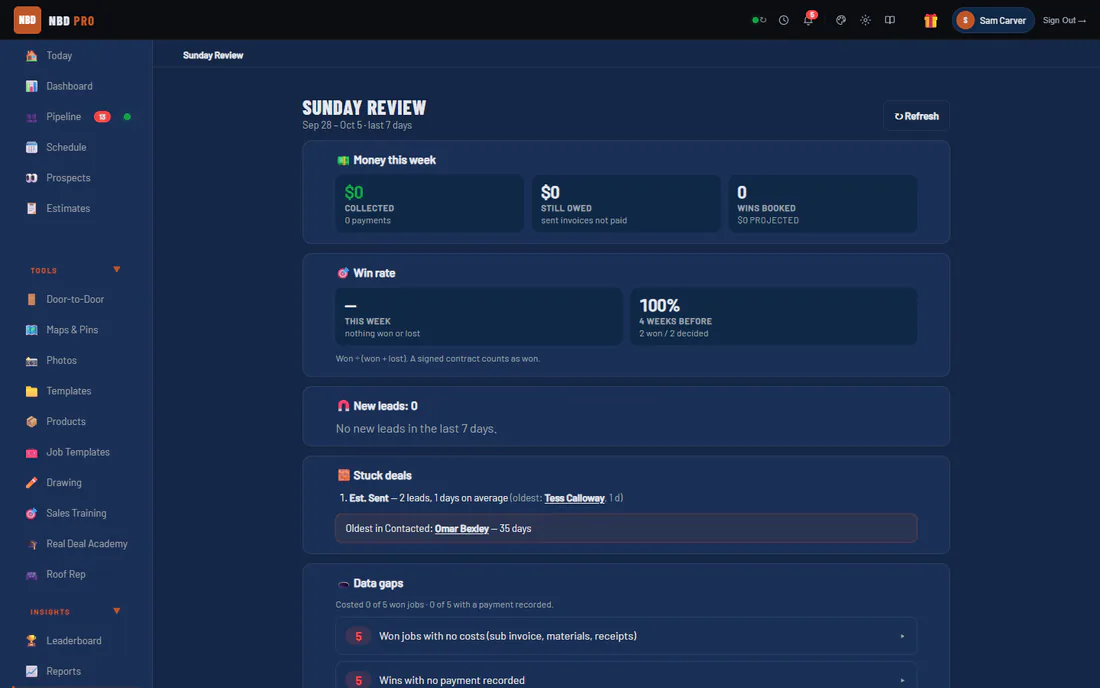
One close rate everywhere: won ÷ (won + lost), and a signed contract counts as won. Marking a lead lost asks why, so you learn whether it was price, no damage or no response. Sunday Review shows the last 7 days: money collected and still owed, wins, new leads, stuck deals, and the gaps in your own data.
- Lead sources Track what you spend on Thumbtack, Yelp, Angi and HomeAdvisor next to the jobs they brought. Spend stays owner-only.
- Six lost reasons Price, went with someone else, no damage, no response, insurance denied, other.
- On every plan Sunday Review and the close rate are on Free too.
In the field
Built for the roof, not the office.
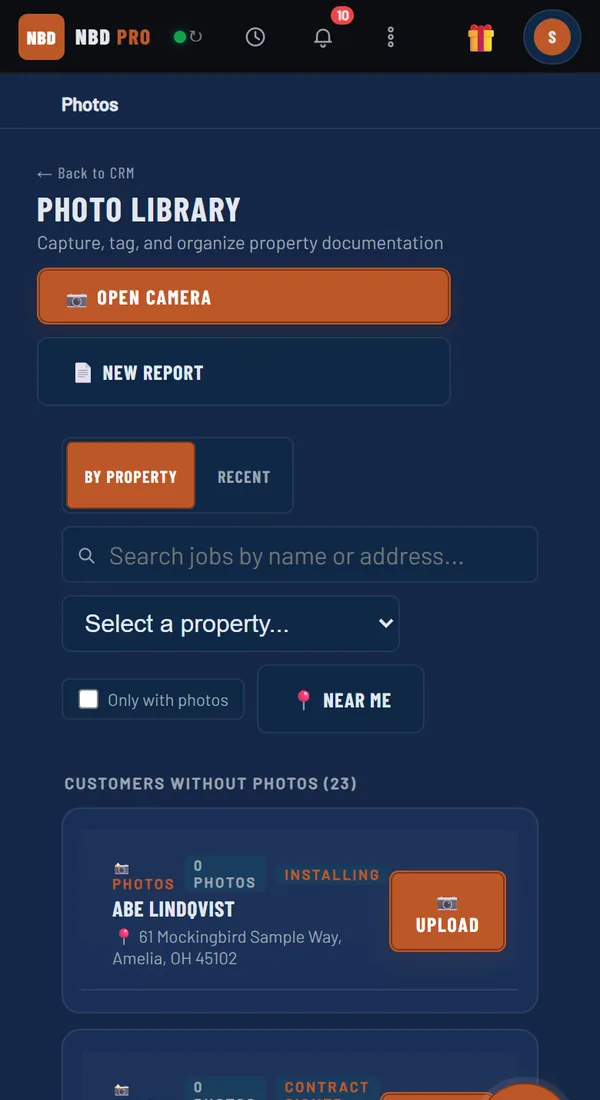
Photos, reports and roof drawing.
The camera shoots in bursts, files each photo as before, during or after from the job’s stage, and marks it on-site when it was taken within 75 m of the address. AI suggests the tags. Build a branded report from four templates: Full Roof Inspection, Storm Damage, Supplement and Completion. Draw the roof on satellite imagery when you have no measurement report.
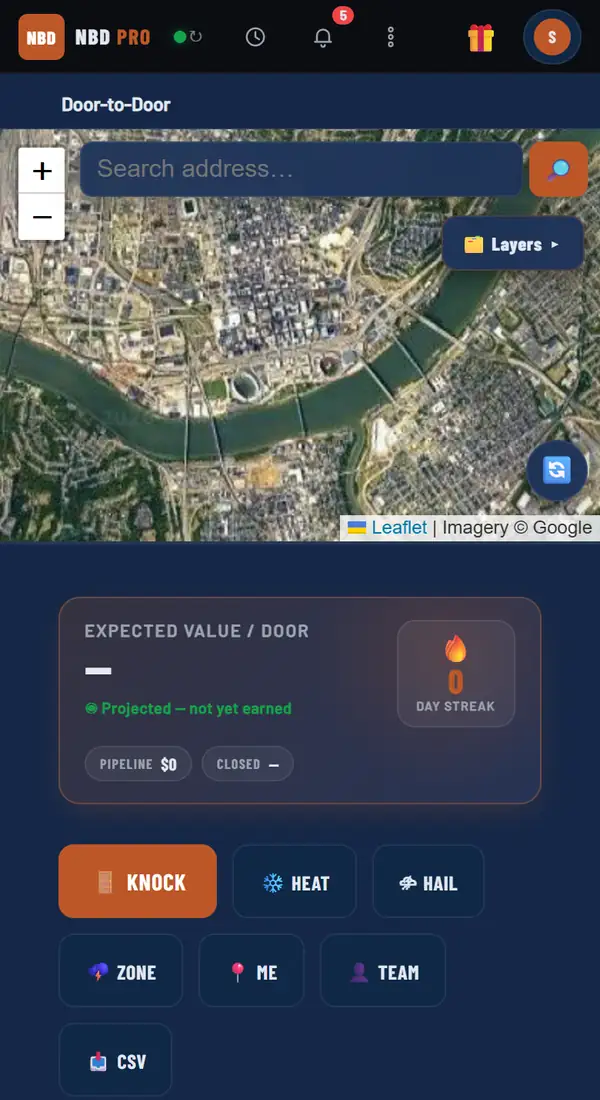
Storm hits, map’s ready.
Storm Watch pulls live National Weather Service alerts. On the door-knocking map you can show up to five years of hail, wind and tornado reports, draw territories, and log every door with one of 16 outcomes, from Appointment Set to Do Not Knock. The route optimizer turns your not-homes into a walking loop, and a heat map shows where you have already knocked.
Paperwork
34 documents, your name on every one.
Change orders, lien waivers, warranties, scopes of work and reports come out with your company’s name on them, ready to send. Change orders can be signed in the app.
Lien waivers, change orders and the right-to-cancel notice are marked as drafts for your attorney to review before first use.
- Change Order (signable)
- Lien Waiver, Ohio or Kentucky
- Notice of Right to Cancel
- Material & Color Selection
- Good-Better-Best Options
- Insurance Job: Scope & Next Steps
- Scope of Work
- Work Authorization
- Warranty Certificate
- Certificate of Completion
- Roof Assessment Report
- Invoice
- and 22 more
AI that waits for your yes
Ask Joe. It won’t do a thing until you tap yes.
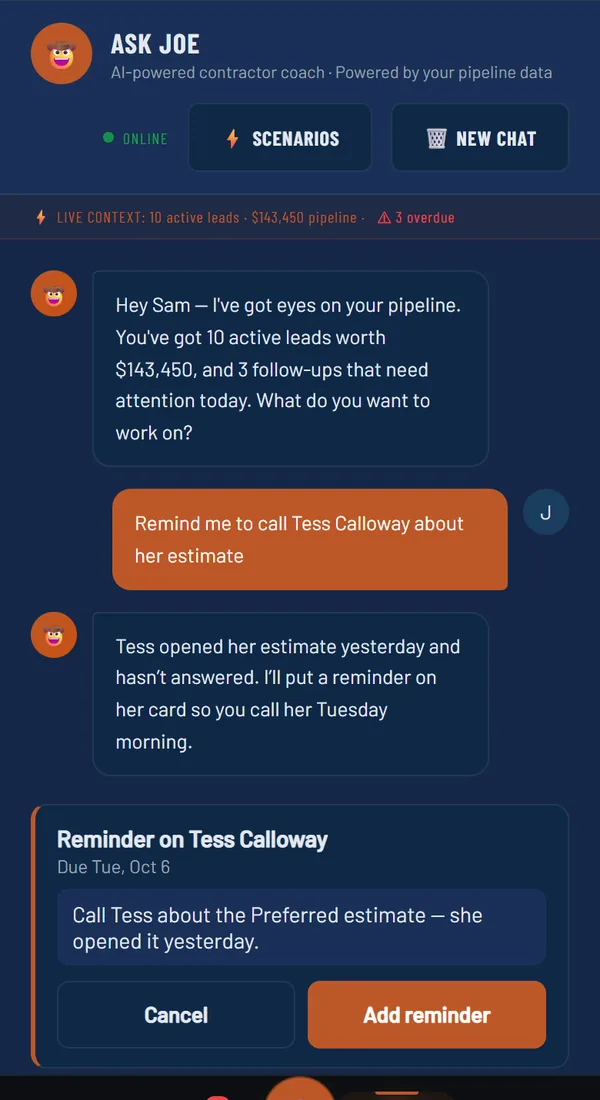
Ask in plain English: “remind me to call Tess Thursday”, “who needs a follow-up?”, “move June to install”. Looking things up happens right away. Anything that changes a customer’s card (a reminder, a note, a stage move) shows a card first, and nothing happens until you tap the button.
- It reads your live pipeline, not a generic script
- Brief me on a customer’s card sums up where the job stands before you call
- Included on paid plans: 20 AI calls a month on Starter, 100 on Team, unlimited on Growth
Texting: coming soon. Sending texts needs carrier (A2P) registration, which is not live yet, so no texts go out today.
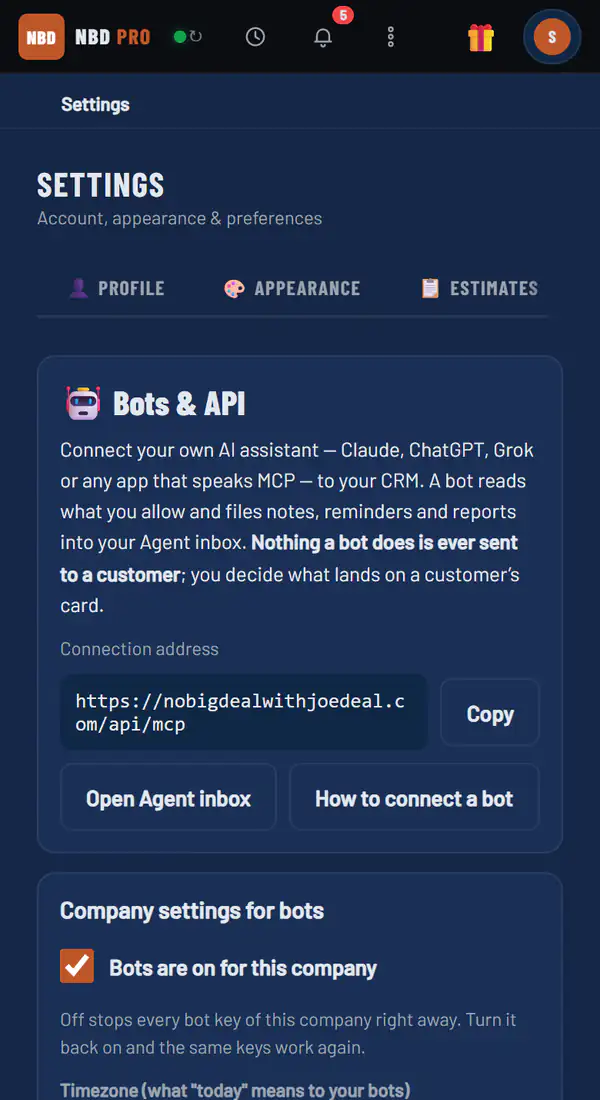
Live on paid plans
Connect your own AI bots.
In Settings → Bots & API, connect Claude, ChatGPT, Grok or any app that speaks MCP, each bot with its own key. Bots read your CRM and file notes, reminders and reports into your Agent inbox for you to approve. None of them can text anyone, email anyone or charge a card.
Built for a crew.
Invite people by email and give each one a role: company admin, manager, sales rep or viewer. Reps see their own book, owners and managers see the whole company, and a viewer can look without changing anything. Each person gets a private calendar feed their phone’s calendar subscribes to. Add it to your home screen and it opens full screen, like an app. No app store. Team covers you plus 2 reps; Growth covers 5.
Kentucky
Kentucky‑safe by default.
The rules for insurance jobs are built into the paperwork and the payments, so a rep can’t get them wrong.
No assignment of benefits
NBD Pro never uses one. The document is retired, and asking for it shows why.
Nothing due at signing
On a Kentucky insurance job, the deductible and the first insurance payment come due only after the insurer’s written coverage decision and the 5-business-day cancellation window (KRS 367.626).
Pay link stays locked
The online pay link is refused until then. If a job’s state can’t be read, the hold stays on. Emergency tarp or repair work bills on its own invoice.
The deductible is collected
Never waived, reduced or absorbed. Nothing NBD Pro prints says otherwise.
Running in my shop
What I’m running in my own business.
These run at No Big Deal Home Solutions today. They are not self-serve for your account yet. I’m showing you where NBD Pro is headed, not selling them.
- Call Center
- Calls from my phone are transcribed, and AI notes list who promised what, filed on the right customer.
- Thursday
- An AI phone receptionist answers my line when I can’t, looks the caller up in the CRM and drops the call into an inbox for me to review.
- The morning email
- One email each morning with my day, written from the CRM.
Pricing
Every price, published.
Every plan has the CRM, estimates, e-sign, invoices, the homeowner portal and the maps. Plans differ in new leads a month, AI and seats.
Free
Kick the tires. No card, no timer.
- 10 new leads a month
- 1 user
- No AI features
Starter
The same tools Joe runs NBD on every day.
- 50 new leads a month
- Ask Joe AI: 20 AI calls a month
- 1 user
Team
Your first crew in one pipeline.
- 150 new leads a month
- 100 AI calls a month
- You + 2 reps, with roles
- 14-day free trial
Growth
A growing crew, full visibility.
- 500 new leads a month
- Unlimited AI calls
- You + 5 reps, with roles
- Priority support
- 14-day free trial
Enterprise
Multiple locations or a big crew. Talk to me directly.
- Unlimited leads, AI calls and reps
Team and Growth start with 14 free days through Stripe Checkout, which asks for a card up front. Optional online card payments: 3.4% + 30¢ each, paid straight to your bank through Stripe; recording checks and cash is always free. See the full pricing page.
FAQ
Questions roofers ask me.
I built it for me.
I’m sharing it with you.
Book a demo and I’ll walk you through it on my own phone, or try the sandbox first. The Free plan needs no card and has no timer.
Marketing
Turn finished jobs into posts.
Social Studio drafts a post from a finished job. You approve it, put it on the calendar, and it lands in your Ready to post queue when it’s due. Posts name the town, never the street, photos are re-encoded with their location data removed, and every caption is checked before you can approve it.